
Computer Graphics in 10 Minutes
From a triangle in memory to a lit pixel on screen the minimum you need.
Frame generation is a hack layered on top of a much older hack: real-time rasterization. To understand what DLSS is doing, you need to understand what the GPU was doing before DLSS existed. This chapter is a crash course. We will return to every concept here in much more detail later.
A scene is a list of triangles
Everything you see in a real-time 3D game a character, a wall, a leaf, a gun is, at the lowest level, a list of vertices (3D points) connected into triangles. A modern AAA frame contains somewhere between 10 and 30 million triangles for the visible geometry.
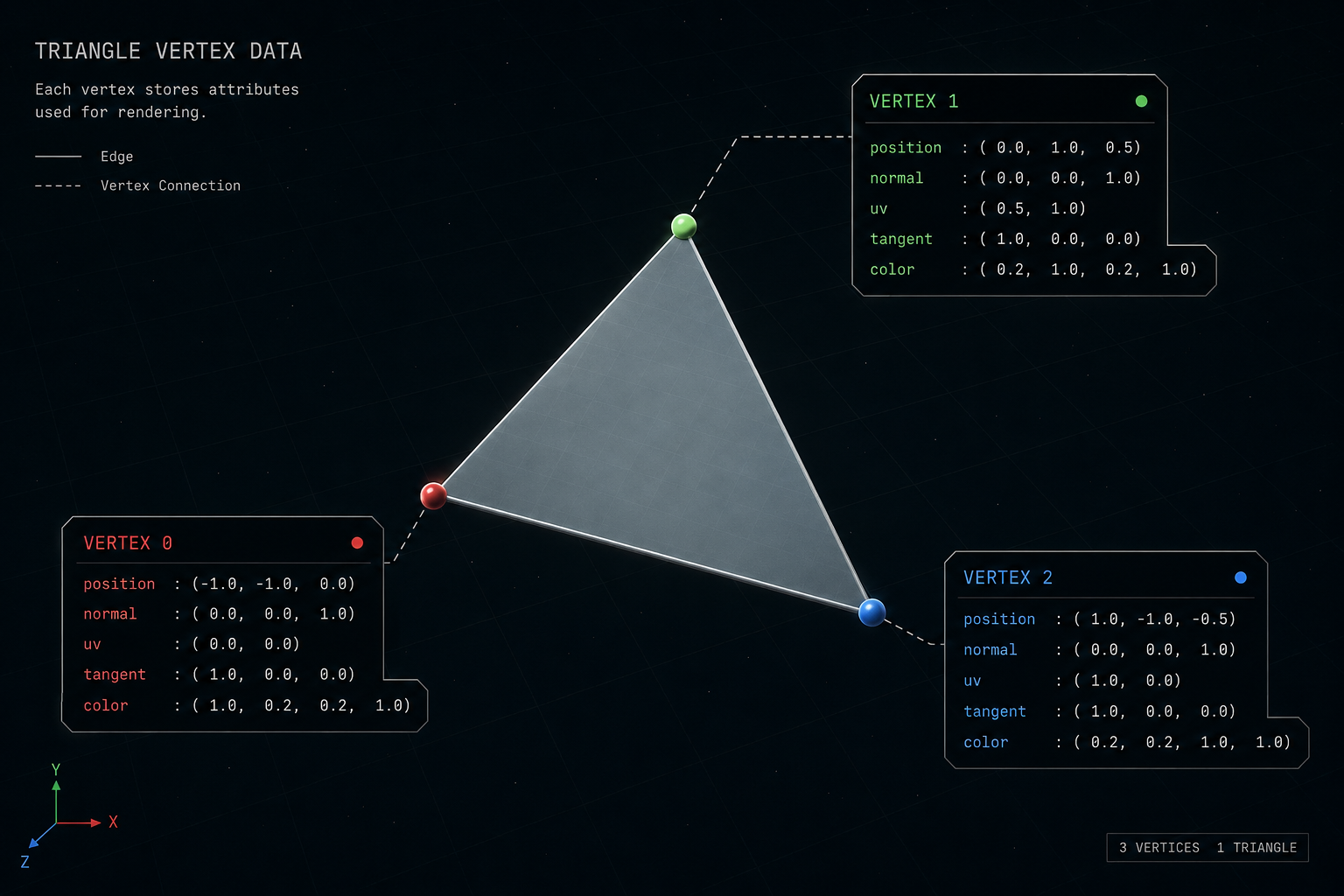
Each vertex carries data: its position in 3D space, a normal vector (which way the surface faces), texture coordinates (UVs), maybe a tangent vector, maybe vertex colors, skinning weights for animation, and so on.
The pipeline, end to end
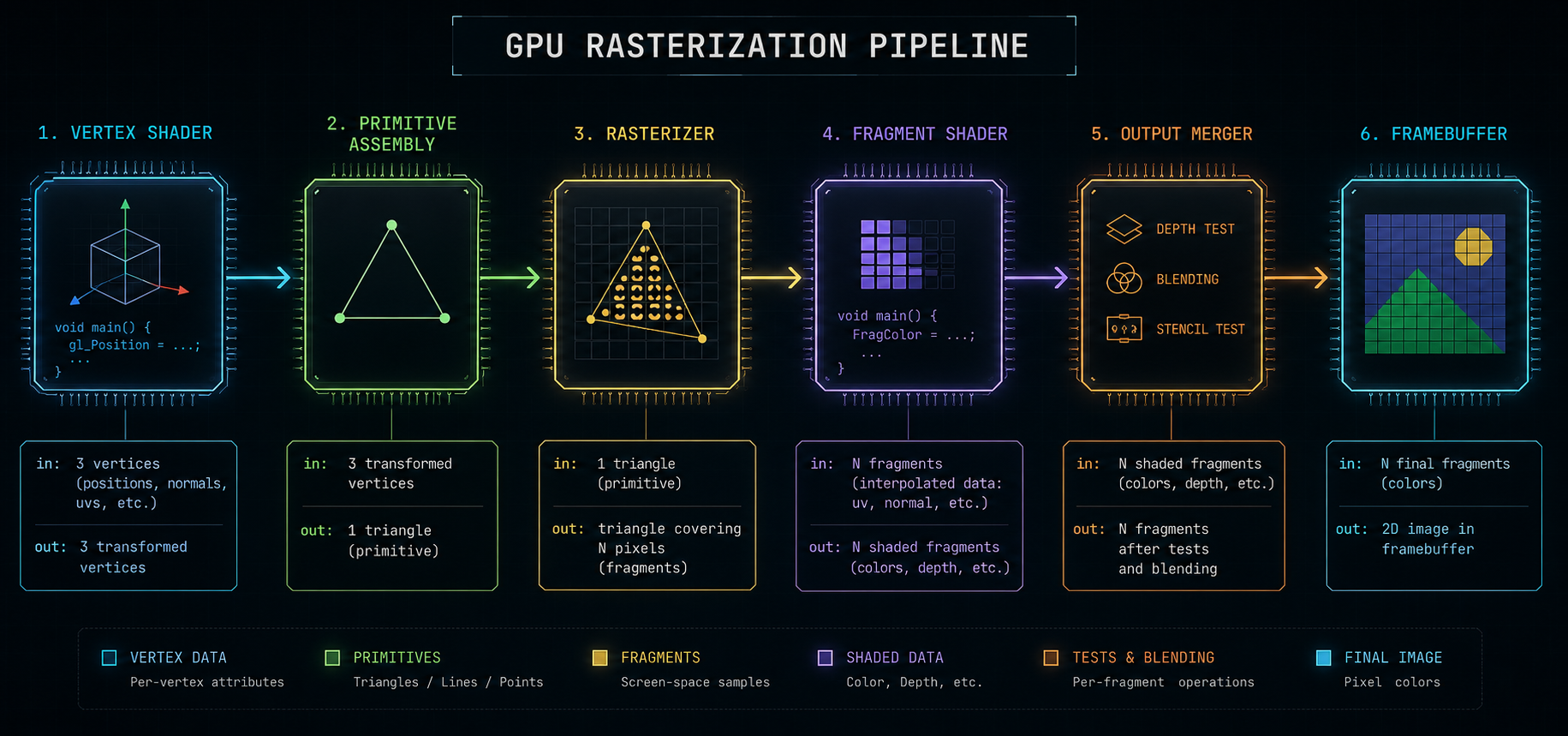
A GPU draws a frame by running every triangle through a fixed sequence of stages. This is called the rasterization pipeline. In a simplified modern form:
- Vertex shader runs once per vertex. Transforms the vertex from object space into clip space using model, view, and projection matrices. This is also where skinning happens.
- Primitive assembly & clipping vertices are grouped back into triangles; triangles that lie entirely outside the camera frustum are thrown away, ones that straddle the edge are cut.
- Rasterization each triangle is mapped to a set of pixels (more precisely: fragments) it covers on screen. This is where geometry becomes pixels.
- Fragment shader (a.k.a. pixel shader) runs once per pixel covered by a triangle. This is where the bulk of the work happens: sample textures, evaluate lighting equations, do normal mapping, do parallax, write a color.
- Output merger depth test (is this pixel closer than what's already there?), blending (semi-transparency), write to the framebuffer.
What "a pixel" really means
When the rasterizer says a triangle covers a pixel, it really means the triangle covers a tiny square area of the screen. To decide whether to shade the pixel, the GPU asks: "does the center of this square fall inside the triangle?" That single yes/no test is the source of aliasing the jagged staircase edges you have seen in every untreated 3D image.
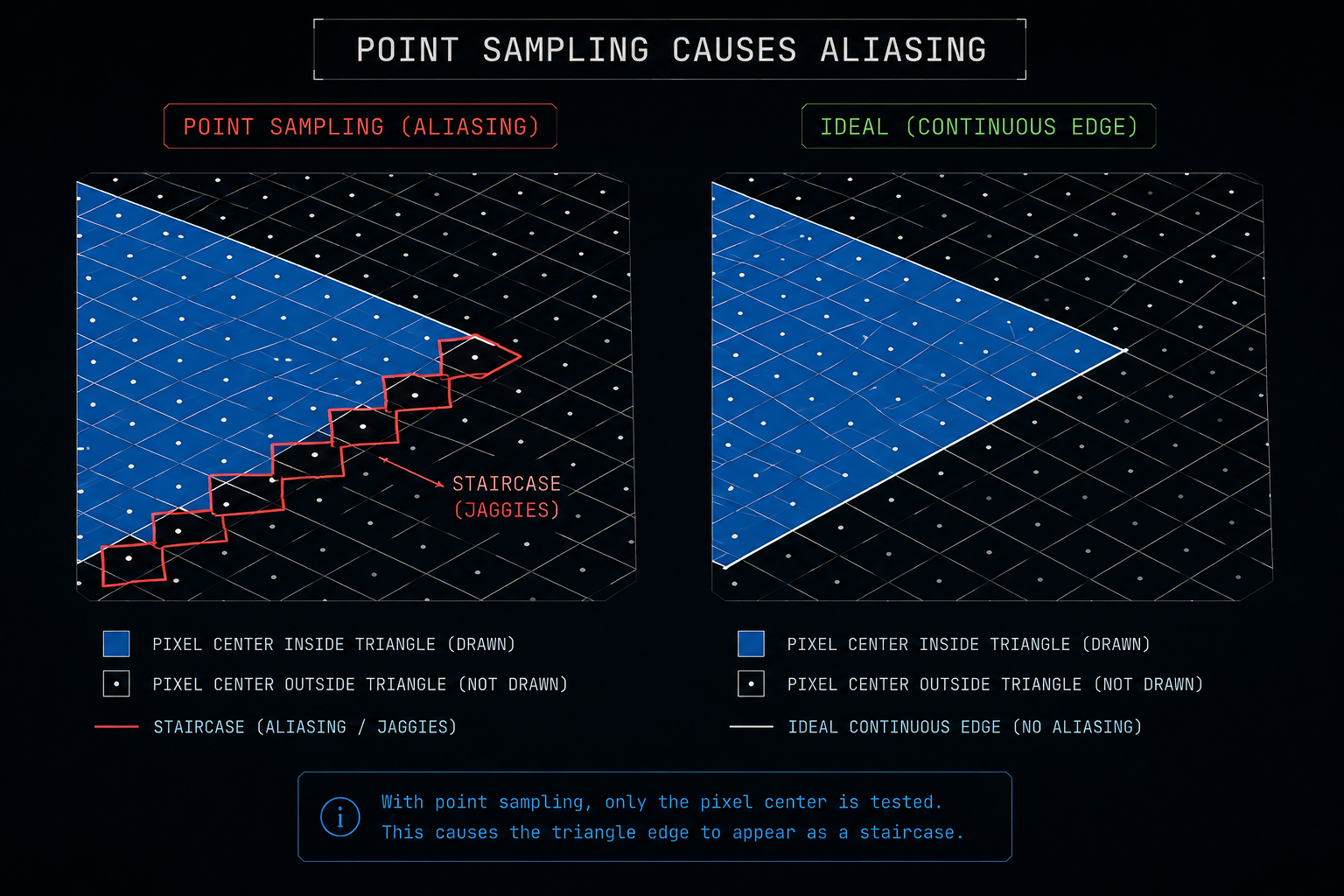
Anti-aliasing is the entire history of computer graphics trying to fix this single problem. We will see in the next chapter how temporal anti-aliasing replaced the older spatial methods, and how that same machinery is what DLSS and friends now use to do something far more ambitious.
Lighting in 0.5 ms
A pixel's color comes from a shading equation almost always some variant of physically based rendering (PBR). The fragment shader looks up the material's albedo (base color), roughness, metallic value, normal map, and so on, then evaluates a microfacet BRDF (Cook-Torrance or similar) against every light that reaches the pixel.
For real-time, that means:
- A handful of direct lights (the sun, a flashlight) are evaluated directly. This is cheap.
- Indirect lighting (light bouncing off other surfaces) is approximated. Either baked into static lightmaps, or computed dynamically with screen-space approximations (SSAO, SSR), or increasingly with real-time ray tracing (RTX, DXR).
- Shadows come from rendering the scene a second (or fourth) time from the light's point of view into a shadow map, then comparing depths.
Each of those is expensive. By the end of the frame the GPU has touched every pixel of the screen many times: once to write geometry into a G-buffer, again for shadows, again for lighting, again for post-processing.
The G-buffer: not one image, many
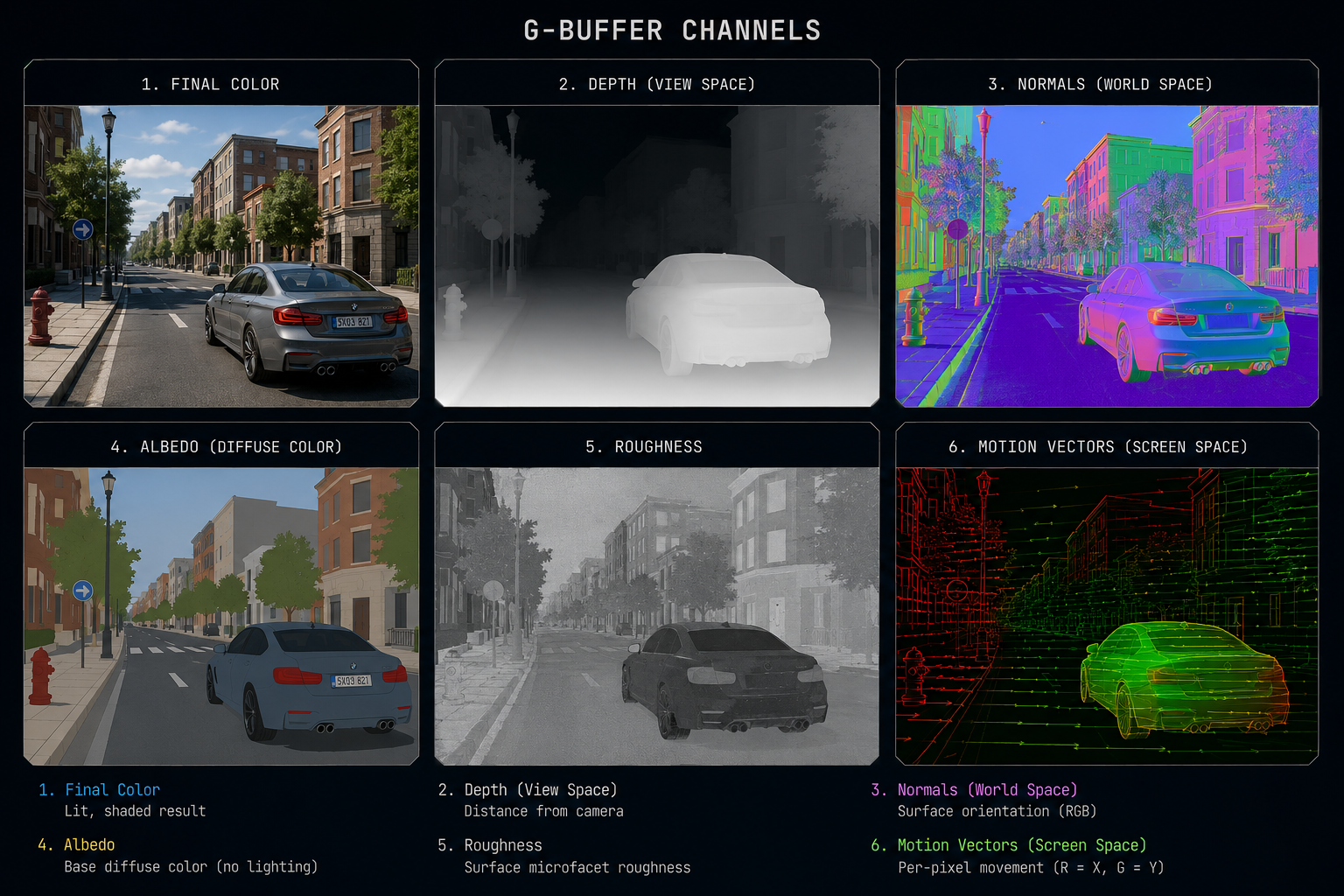
Modern engines do deferred shading. Instead of computing the final color for a pixel inline while rasterizing geometry, they write intermediate data for each pixel into a set of textures called the G-buffer (geometry buffer). Then a separate pass reads the G-buffer and does the heavy lighting math.
A typical G-buffer holds:
- The pixel's world-space (or view-space) position (often reconstructed from depth).
- The surface normal.
- The albedo (base color).
- Roughness and metallic values.
- A motion vector how far this pixel moved between the last frame and this one.
That motion vector is the single most important piece of data for frame generation. Hold onto it; we will spend an entire chapter on it.
The frame budget
If the game targets 60 FPS, the GPU has 16.6 milliseconds to do all of that geometry, G-buffer, shadows, lighting, post-processing, UI for every frame. At 4K that's 8,294,400 pixels each touched many times. Single-precision floating-point math, parallelised across thousands of cores, running into memory bandwidth limits.
At 120 FPS that budget halves. At 240 FPS it halves again. At native 4K with ray tracing, even the most expensive GPU on the planet cannot hit those numbers in a demanding game. This is the wall that frame generation was invented to climb.
Next we'll see the trick that quietly made all of this possible: temporal anti-aliasing, the technique that taught engines to remember the previous frame.